Devices
Hybrid Meeting Room Equipment Guide for Indian Offices
1 August 2026 · 10 min read · Crozsi Ecommerce Private Limited
Based in Coimbatore, shipping business IT across India.

Hybrid work is permanent in Indian IT, consulting, and manufacturing headquarters. Meeting rooms must let Mumbai leadership join seamlessly when half the team is in Coimbatore and three engineers dial in from client sites. Poor audio causes more meeting fatigue than blurry video. This guide covers room sizing, core equipment categories, and how to procure Logitech and Jabra gear through a single business quote with GST invoicing.
Why hybrid meetings fail in Indian offices
Ceiling fans, glass walls, and open HVAC noise challenge microphone pickup. Rooms built for twelve people host twenty during town halls. Laptops at the far end of the table become mute participants. Consumer webcams clip highlights from whiteboards where teams still sketch process flows. Fixing hybrid is not one gadget—it is matching room acoustics, display size, and endpoint software (Teams, Zoom, Google Meet) to how your company actually meets.
Indian enterprises also juggle power backup and bandwidth. A video bar on a UPS-backed switch survives brief outages; Wi-Fi-only setups do not. Wired Ethernet to the room PC or bar is worth the civil cost for executive spaces.
Room types and equipment sizing
| Room type | Capacity | Recommended kit | Notes |
|---|---|---|---|
| Huddle | 2–4 | Logitech MeetUp 2 or Brio webcam + soundbar | Quick Teams/Zoom rooms on a wall mount |
| Small meeting | 4–8 | Video bar + 55" display | Table mic or bar with beamforming |
| Medium boardroom | 8–14 | Rally Bar + table mic pod | HDMI share for guest laptops |
| Training / all-hands | 15–30 | Rally Plus + ceiling mic array | Consider PTZ for presenter tracking |
| Executive | 6–10 | Premium bar + dual displays | Wired room PC, dedicated VLAN |
Measure table length and ceiling height before specifying cameras. Wide-angle bars suit shallow rooms; PTZ cameras help deep boardrooms where participants sit far from the screen.
Audio: room systems plus personal headsets
Room audio handles the group; individuals joining from open desks need personal gear. Jabra Evolve2 and Speak series are common complements to Logitech room bars—especially for managers who split time between cabin calls and table meetings. Standardising USB and Bluetooth headsets reduces support load when staff rotate between home and office.
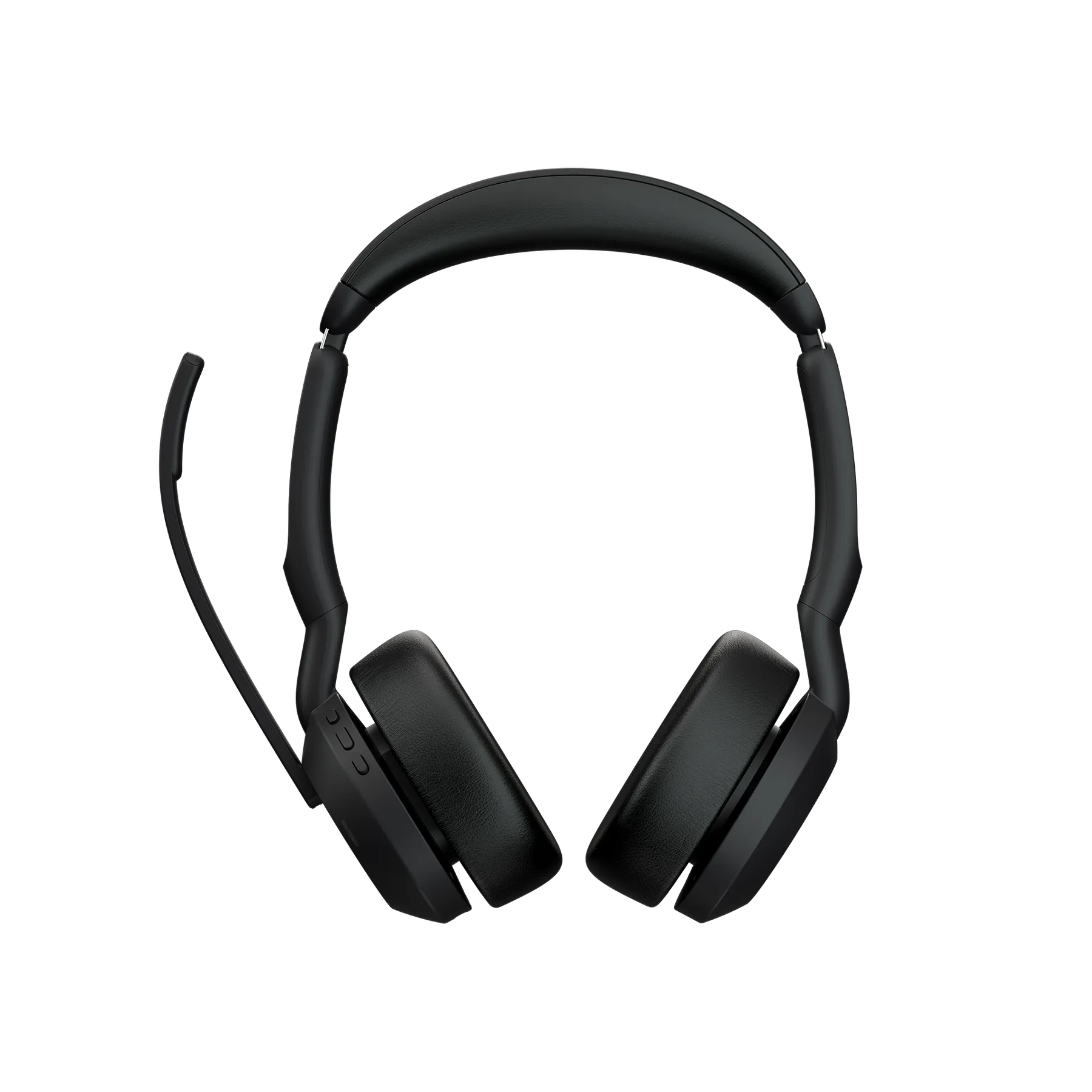
For call-heavy floors, review our headset guide for call centres. Meeting-room and desk audio purchases often ship together on one multi-line RFQ for consistent GST billing.
Teams, Zoom Rooms, and platform certification
- Verify device certification for your primary platform—Teams Rooms vs Zoom Rooms vs BYOD laptop mode.
- Decide between appliance mode (dedicated room PC) and USB peripheral mode (user laptop drives the bar).
- Plan calendar integration so rooms show free/busy on Outlook or Google Workspace.
- Enable remote management (Logitech Sync, etc.) if IT manages more than five rooms.
- Document guest join flow: HDMI, wireless share, or Teams guest Wi-Fi.
BYOD is tempting for cost control but increases cable hunting and insecure guest logins. Appliance mode costs more upfront yet delivers one-touch join—valuable when executives resist troubleshooting.
Installation, cabling, and network checklist
Partner with AV integrators for ceiling mics and DSP tuning in large rooms. For huddle deployments, IT can often self-install with wall mounts and PoE where supported. Run dedicated VLAN or QoS for video traffic on congested office links. Label HDMI and USB-C cables at the table—ambiguous inputs cause five-minute delays every meeting.
Include power conditioning in monsoon-prone sites. Surge-related failures on room PCs are a common post-storm support spike in coastal cities.
Procurement, rollout, and company account pricing
Build a room-by-room BOM: video bar, mount, display (if not existing), cables, UPS, and optional headsets. Add lines to your procurement list on devices, sign in for business pricing, and request a quote for pan-India delivery. Crozsi responds within 1-3 business days with GST-compliant invoicing for company accounts.
Roll out in phases: pilot one huddle room and one boardroom, gather user feedback, then standardise SKUs for remaining floors. Desk peripherals like wireless mice and CRM tools such as Kommo can ride the same RFQ when sales and IT refresh together.
Frequently asked questions
What equipment do I need for a hybrid meeting room in India?
At minimum: a certified video bar or camera, room speakers/mics, a display, and a room PC or BYOD laptop with Teams or Zoom. Huddle rooms need less; boardrooms need table mics and often PTZ cameras. Add personal headsets for staff who join from open desks.
Logitech or Jabra for meeting rooms?
They solve different problems. Logitech dominates room video bars and cameras. Jabra excels at personal and speakerphone audio. Most Indian offices use Logitech for rooms and Jabra headsets for individuals—a combination Crozsi can quote on one RFQ.
Can Crozsi supply and invoice AV gear across multiple Indian cities?
Yes. Submit a multi-line RFQ with ship-to addresses per office. We provide GST invoices suitable for asset registers and respond within 1-3 business days. Urgent rollouts: +91 99443 55724.
Do we need a dedicated room PC for Teams Rooms?
Not always. USB peripheral mode lets users connect laptops to a video bar. Dedicated room PCs or Teams Room appliances deliver simpler one-touch join and are recommended for executive and high-use boardrooms.